Your Own Domain for Digital Business Cards
A small detail with a big impact: custom domains for baningo
cards
White-label look, trust, and consistent branding—everywhere.

You know the drill: you share your digital business card via a link—and boom, the recipient sees a URL that doesn't look like your company. That's often the exact moment of decision: will they click, save, or hesitate for a second? With custom domains for baningo cards, you can now share your digital business cards via your own domain—and create an even more cohesive brand experience.
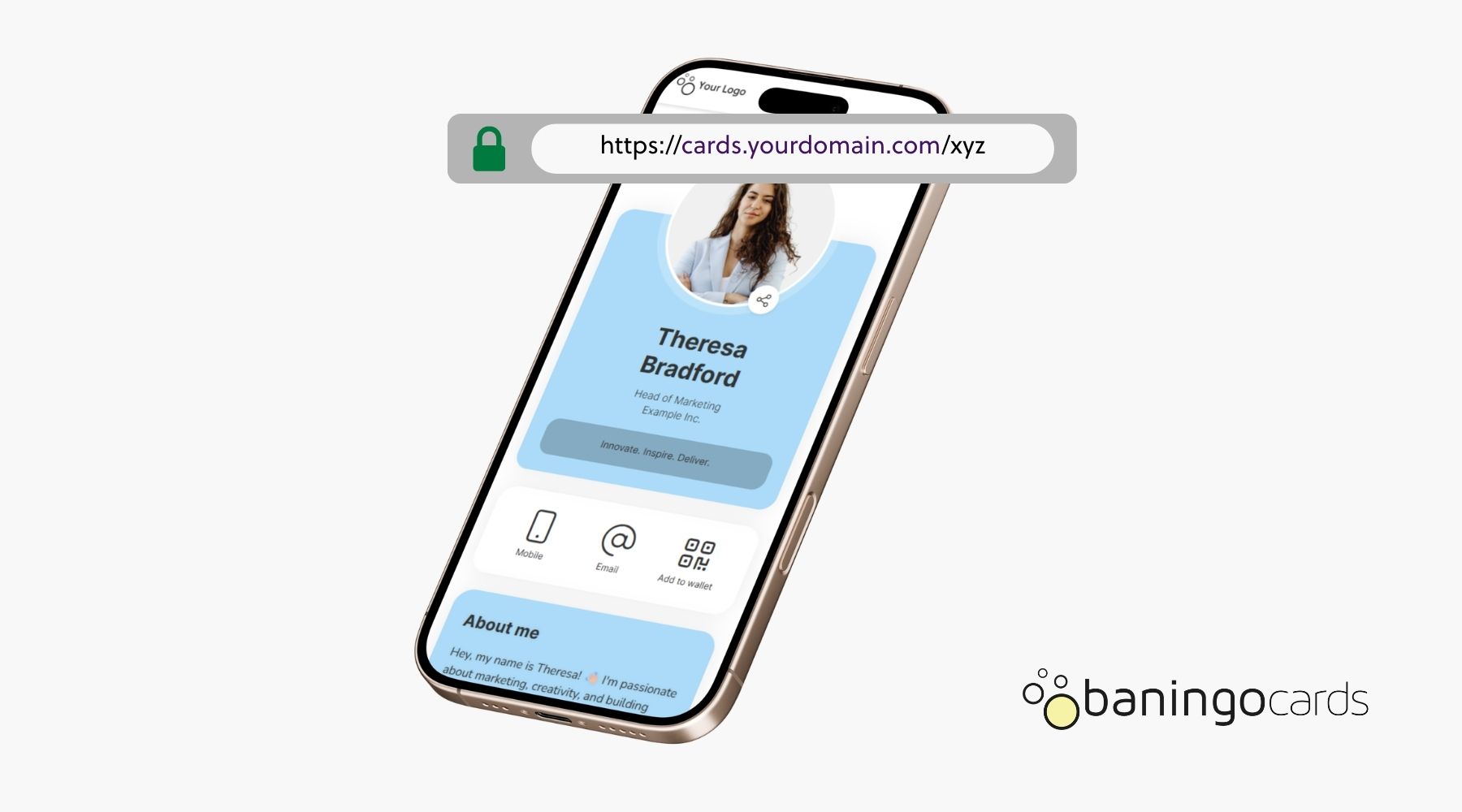
What does “your own domain” mean for digital business cards?
Instead of a generic link like my.baningo.com/xyz, you use an address that clearly belongs to you— for example cards.yourcompany.com/xyz or yourcompanycards.com/xyz. To the person receiving the link, it feels like a fully custom solution—and that's the whole point.
- Custom domain = you share your baningo cards business cards via a subdomain or a dedicated domain you own.
- White-label look = the link carries your brand name—no “foreign” sender vibe.
- Consistency = the same sender across email signatures, QR codes, social profiles, and campaigns.
The key benefits in everyday use
- ✔ White-label look: The link comes from your domain and feels like your own solution.
- ✔ More trust when sharing: People instantly see which company the link belongs to.
- ✔ Consistent everywhere: Perfect for email signatures, LinkedIn, QR codes, and campaigns.
Especially in fast-paced moments (trade shows, events, first LinkedIn outreach), a familiar domain can make the difference: less friction, more clicks, more saved contacts.
Specific use cases where custom domains shine
Custom domains aren't just a “nice-to-have”—they directly improve branding and conversion. Here are common scenarios where our customers benefit the most:
- Email signatures: Instead of a neutral-looking link, everything feels cohesive—from sender to business card.
- LinkedIn & social profiles: You place a link that “looks like you” and builds trust.
- QR codes on print & slides: The QR code leads to a URL that strengthens your brand (instead of diluting it).
- Campaigns & recruiting: For HR, sales, or events you can use targeted links without breaking your brand logic.
- Sales enablement: Teams share cards in seconds—and every link is instantly recognizable as “official.”
Pro tip: subdomain vs. dedicated domain
In practice, both options work great. Most teams choose one of these:
- Subdomain (recommended): cards.yourcompany.com—clean, flexible, and clearly tied to your main brand.
- Dedicated domain: yourcompanycards.com—great if you want to separate campaigns or brand/region experiences.
How to get your own domain with baningo cards
Good to know: custom domains are available for our Business Plan customers. All recurring costs are included in the Business or Enterprise plan. One-time setup fees may apply depending on the configuration—this is something we clarify transparently with you before we start.
You simply bring your domain: registration and management stay with you (via your domain provider). We'll support you in connecting everything correctly so the result is clean, secure, and reliable.
The process in 3 steps
- Choose your domain/subdomain (e.g., cards.yourcompany.com).
- Set up the connection (DNS records at your provider—we'll do this together).
- Go live & share: From then on, your team uses the new domain for all card links.
Just send us an email at sales@baningo.com—and we'll set it up with you. (Or start with baningo cards for free and upgrade later.)
Try Digital Business Cards for FreeHow does this fit with NFC business cards?
It's the perfect combo: you share your digital business card via link—and physically via an NFC card. When your NFC card opens a link on your domain, the experience feels especially cohesive: physical product + digital presence = one brand story.
- Tap the NFC card → your domain opens the digital business card
- Scan a QR code → still your domain
- Use in campaigns → consistent brand and tracking logic
Conclusion: Small URL, big brand win
With your own domain for digital business cards, a simple link becomes a real brand asset: a white-label look, more trust, and consistent communication across every channel. If your team shares contacts frequently (sales, recruiting, consulting, events), this feature is a noticeable step up in quality.
Want to use custom domains? Email sales@baningo.com—or start free with baningo cards and upgrade to Business when it fits.
Get Started: Try baningo cards FreeLet's chat.
Co-Founder & Managing Director
About the author
Harald is Co-Founder and Managing Director at baningo and manages strategy, product & direction.